
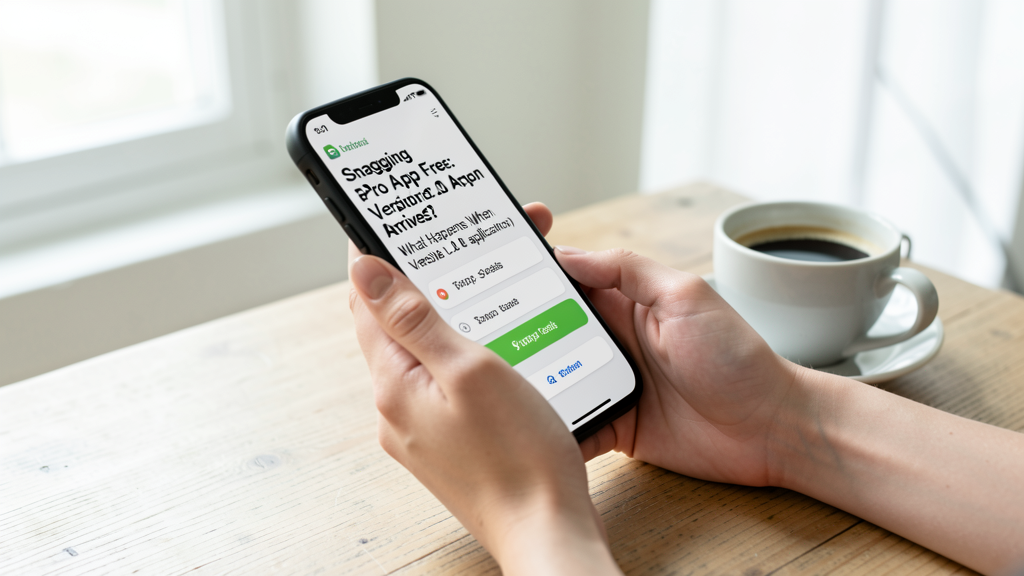
Snagging a Pro App for Free: What Happens When Version 2.0 Arrives?
Understanding the fine print of free app promotions to determine if your license covers future major updates or locks you into an outdated version.

The rush of downloading a premium mobile application for zero dollars is undeniable. You see a notification in the feed, tap "Get," and suddenly you own a tool that cost $9.99 yesterday. But two months later, your phone buzzes with an update notification. You read the changelog, and it looks enticing—new interface, dark mode, AI integration. You hit update, launch the app, and suddenly you are greeted with a screen demanding a monthly subscription to continue using the features you just had for free.
This scenario is the nightmare of every deal-hunter. The core confusion stems from a misunderstanding of how mobile licensing works when the monetary transaction value is zero. Does grabbing an app during a "Free for a limited time" promo grant you the same rights as someone who paid full price?
What Actually Changes When You Pay $0.00
From a licensing standpoint on both the Apple App Store and Google Play, a transaction of $0.00 is treated identically to a transaction of $20.00 regarding ownership history. You are a "previous purchaser." The system records that you acquired the license before the price reverted to its paid tier. This record is your safety net for the current version of the software.
If a developer sells a PDF Editor for $10 and then makes it free for 24 hours, everyone who downloads it during that window owns the "Version 1.x" license. If the developer releases Version 1.1 a week later to fix bugs or add a new color theme, you get that update. You are entitled to all maintenance updates and minor feature additions that fall within that specific major version number.
However, this protection is not infinite. It is strictly bound to the versioning logic the developer chooses to employ. Your risk level increases significantly depending on whether the app is on a "perpetual license" model (buy once, own this version forever) or if the developer is using the freebie period to seed users for a coming subscription shift.
The Major Version Barrier and Your License
The most critical distinction to understand is the difference between a minor update (e.g., 4.1 to 4.2) and a major version upgrade (e.g., 4.0 to 5.0). In the traditional mobile economy, a major version upgrade often triggers a new purchase requirement.
Consider a hypothetical productivity app, "TaskMaster Pro." In January 2026, it sells for $14.99. You grab it for free. You use it happily throughout February and March. In April, the developer releases "TaskMaster Pro 5.0." This isn't just a bug fix; it is a complete rewrite with a new sync engine. Because you technically "purchased" version 4.x, the developer is within their rights to charge for 5.0.
If you see the app in your "Updates" list, you might download it assuming it is free. Upon launching, some apps will revert to a "Free" tier with limited features, while others will lock entirely, displaying a prompt to "Upgrade to V5."
This is where the fear of being "tricked" is valid. You didn't lose your free app; you still have TaskMaster Pro 4.x in your library. But if you chose to update, you migrated to a new product tier. Unfortunately, neither Apple nor Google makes this distinction visually obvious in the "Update" button. It is a blind click.
When Developers Switch to Subscriptions Post-Download
A more aggressive and concerning trend involves apps that remain at the same version number but change their backend payment verification. This happens frequently with utilities like VPNs, cloud storage services, or calorie trackers.
You might download "PhotoCleaner AI" for free. It works perfectly. Three months later, an update arrives. You install it. Suddenly, the app requires you to sign in to a cloud account to use the "Pro" filters—the very filters you have been using locally for weeks.
In this case, the "Free" promo you participated in was likely a loss-leader. The developer intends to move the functionality to the server (SaaS - Software as a Service). Since they now host the processing power, they argue that the old license is obsolete.
To avoid this, scrutinize the app's description before you even download it, even if the price is zero. Look for phrases like "Lifetime access" or "One-time purchase." If the description is vague or mentions "Account required," proceed with caution. When browsing our app-deals section, we explicitly flag apps that require account creation for this very reason.
The Verdict on Update Safety
So, do you get future updates for free? Yes, but only for the generation of the software you "purchased." If the version number changes from x.9 to y.0, pause. Read the reviews on the App Store page immediately. Look for users complaining about "subscription walls" or "paywalls."
If the update is merely x.1 or x.2, you are almost certainly safe. Your $0.00 receipt guarantees you access to that lineage forever. The key is vigilance. Do not tap "Update All" blindly on your expensive utility apps. Treat every major update notification as a potential sales pitch, and verify that the feature set you originally enjoyed remains unlocked behind your existing, zero-cost license.